
WordPress · WooCommerce
AI chatbot for WordPress and WooCommerce
Turn your WordPress content into helpful answers. With WooCommerce connected, guide product discovery and help signed-in customers find their latest order.
Catalog knowledge · Customer authentication · Configurable workflows

30+ native integrations — plug in what you already use






















In the press
What they say about us.

Cette start-up simplifie la vie des entreprises via l'IA
Jun 2026
“L'objectif n'est pas de remplacer l'humain.”
Read article
Pépite #368 — AI SmartTalk, l'agent IA français qui passe à l'action
Feb 2026
“Pas un chatbot de plus. Une plateforme agent-first pensée pour les équipes business, hébergée en Europe.”
Read article
L'agent IA vient en renfort : cette start-up des Deux-Sèvres exporte ses assistants numériques à l'international
Jan 2026
“Construire une infra IA souveraine depuis Bressuire et la déployer dans 37 langues — la promesse d'AI SmartTalk.”
Read articleYour store, connected
Connect WordPress and WooCommerce to your customer conversations
Give your assistant the store information and tools it needs to answer questions. Start with catalog and policy content, then enable authenticated order lookup and review the results with your team.
Product discovery
Help shoppers find relevant products using their stated needs and the catalog information available to the assistant.
WordPress content and product tools
Use configured tools for WordPress articles, WooCommerce product content and supported Yoast SEO fields. Review changes before applying them.
Answers from your support content
Provide delivery policies, return instructions and FAQs so the assistant can answer recurring questions from your own information.
Authenticated order lookup
Help signed-in customers retrieve their latest WooCommerce order using the configured order tool.
Multilingual conversations
Configure your assistant to communicate in the languages your customers use, and validate important terminology with representative questions.
Conversation review
Review conversations and product search activity to identify missing information and improve the assistant’s instructions.
The back-office
All your AI supportin one console.
Inbox, knowledge, stats, settings: one place to orchestrate your agents and supervise what they answer.
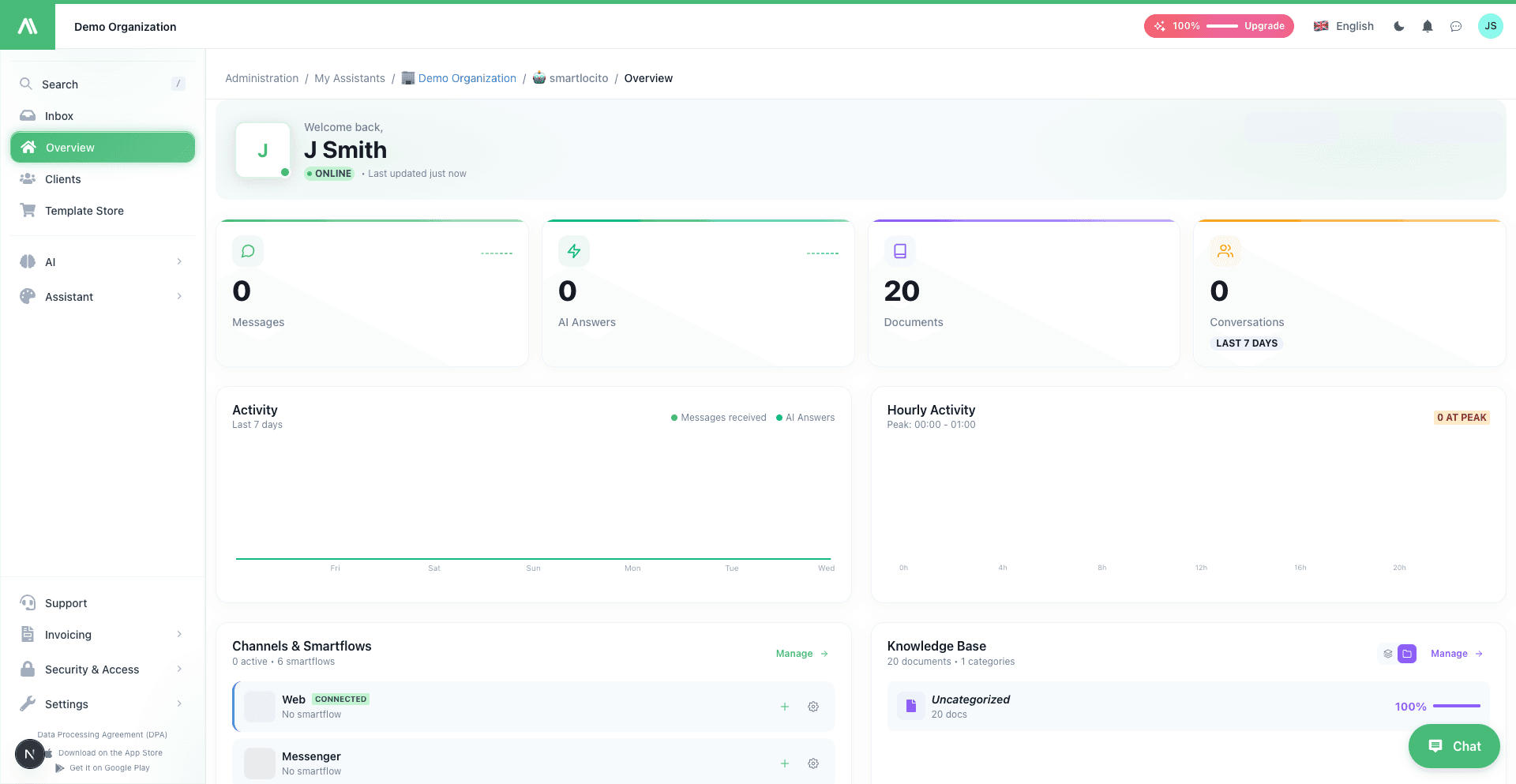
Unified inbox, every channel
Auto-synced knowledge base
Real-time stats & reporting
06
Beyond chat
Getting started
Connect, configure and test your assistant
Connect your store
Open the WordPress and WooCommerce integration, authorize the required access and test the connection using the integration guide.
Prepare content and tools
Make your catalog and support policies available to the assistant. Enable the tools you need and configure the instructions for missing information.
Test before publishing
Try product questions and signed-in order requests. Check the answers and publish the chat widget when the workflow meets your requirements.
The numbers speak
A platform built for production, not a side project.
37
Languages supported
7
Native channels
30+
Integrations
<5 min
Average setup time
Updated in real time · Real data
08
On mobile
FAQ
Frequently asked questions
What do I need to get started?
You need access to your WordPress and WooCommerce administration and the credentials or authorization required by the integration. Follow the integration guide and test the connection.
Do order features require customers to sign in?
Yes. Customer sign-in is required before personal order data can be retrieved. Test the authentication and lookup flow with your store before publishing.
Can I control what the assistant does?
Configure its instructions, knowledge sources and enabled tools. Validate the responses and operations you intend to make available to customers.
Is shipping information always available?
Shipment information depends on your store data and tracking configuration. A tracking number and supported carrier setup are needed for detailed parcel updates.
How much does it cost?
Consult the current pricing page for plans, included usage and feature limits. The appropriate configuration depends on your assistant, integrations and expected volume.
How do I check whether it suits my store?
Test representative product questions, policy questions and authenticated order requests. Contact the team with your requirements if a workflow needs clarification.
Before you connect your store
Connect your WordPress site and authorize the required access. Store and order features require WooCommerce. Customer sign-in is required to retrieve a personal order; shipment information depends on the data your store provides.
Put your e-commerce assistant to work
Explore practical use cases for PrestaShop and WordPress with WooCommerce.
Choose a plan according to your assistant, usage and integration needs. Check the current pricing page for included features and limits.
Connect your store
Build an assistant for your online store
No credit card
Cancel anytime
GDPR-native · EU hosting